

From map
to CAD.
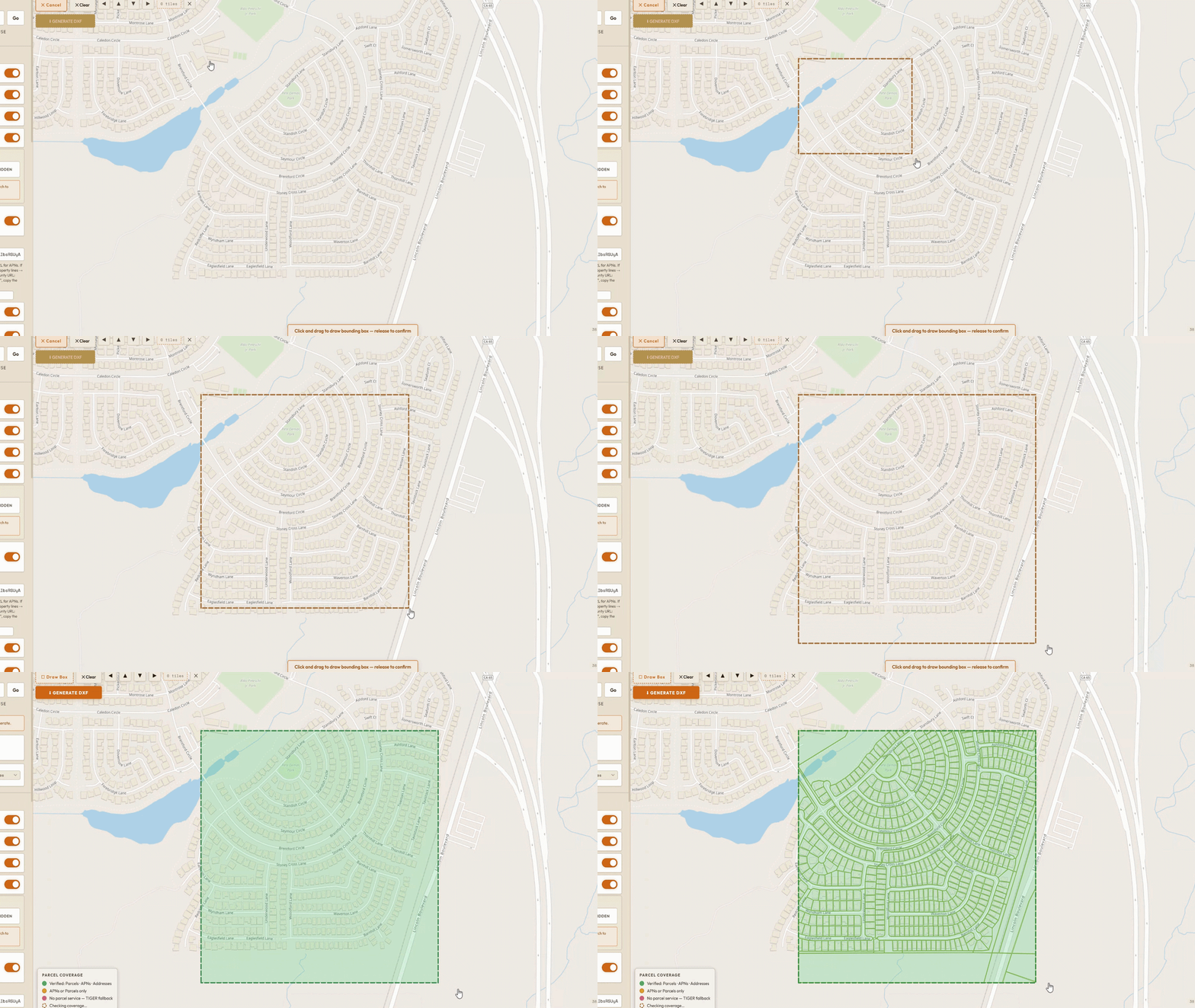
Draw a box, hit generate, and get a professional-grade DXF for AutoCAD. Made for make-ready drafters and utility permit engineers tired of hand-tracing roads.
3 FREE EXPORTS / MONTH · NO CREDIT CARD
What comes out
the other side.
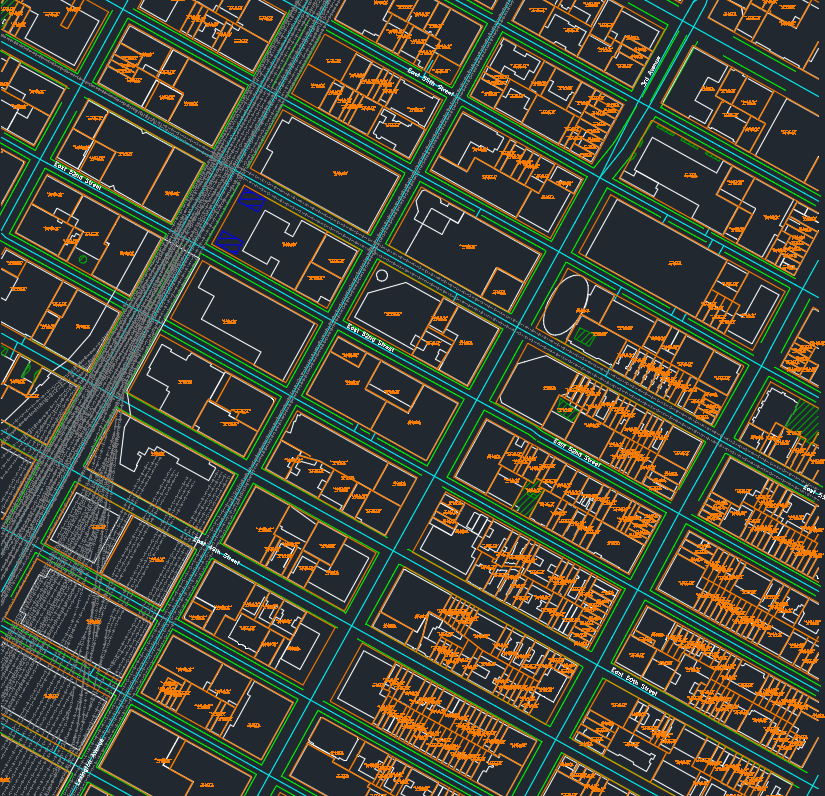
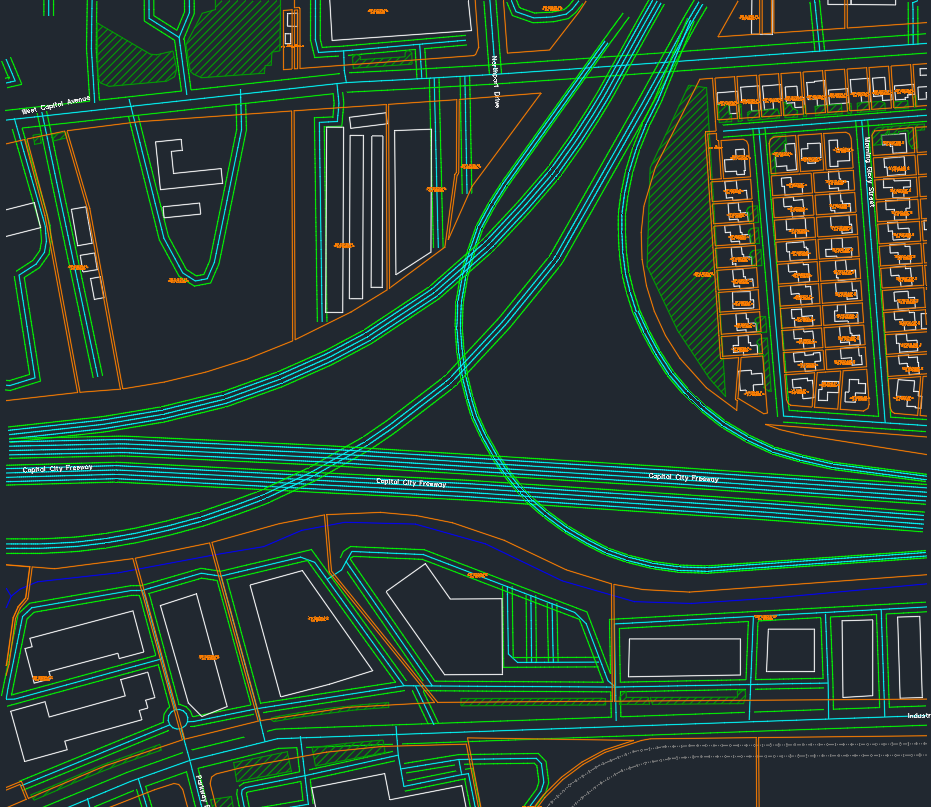
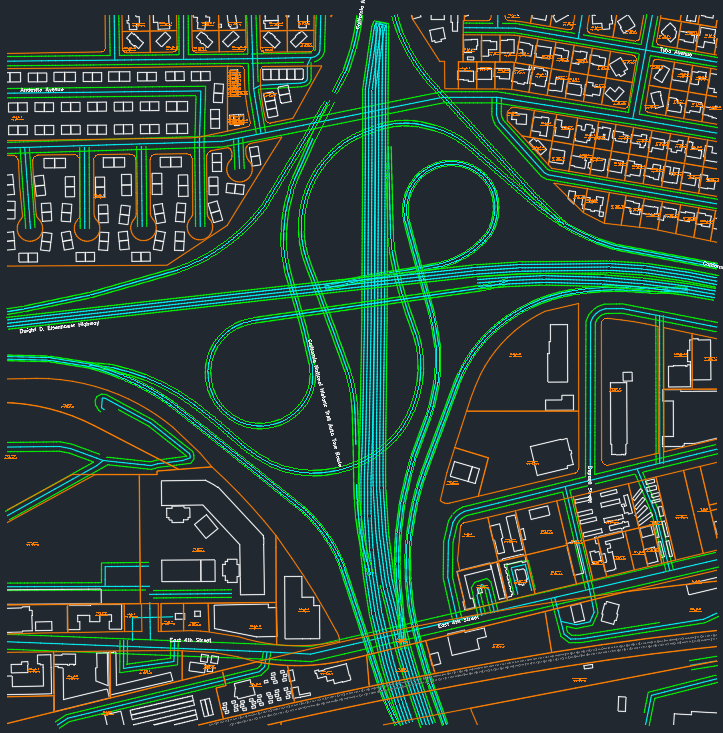
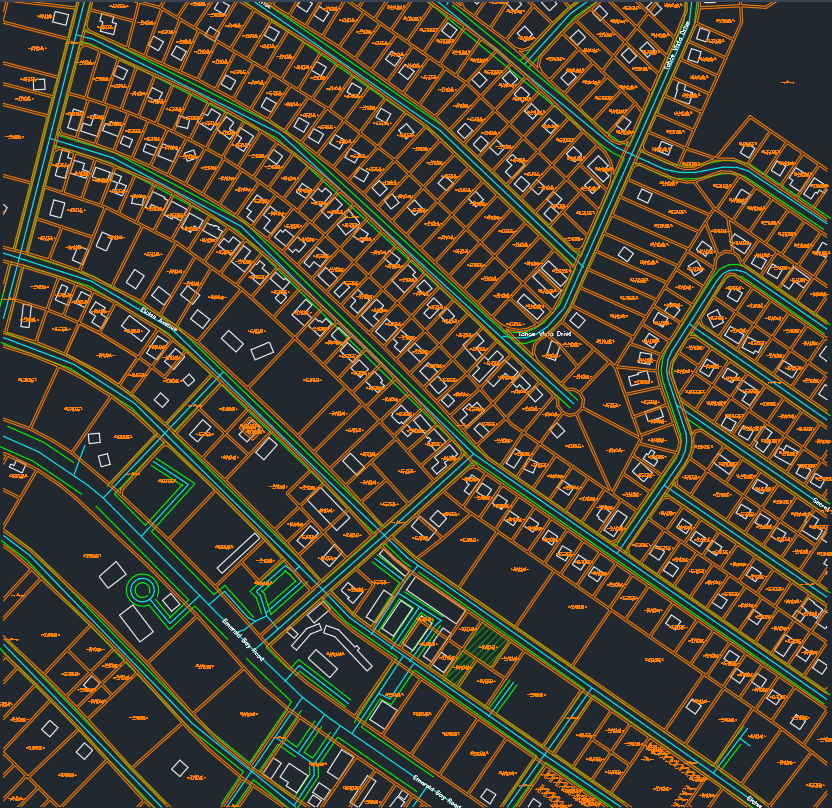
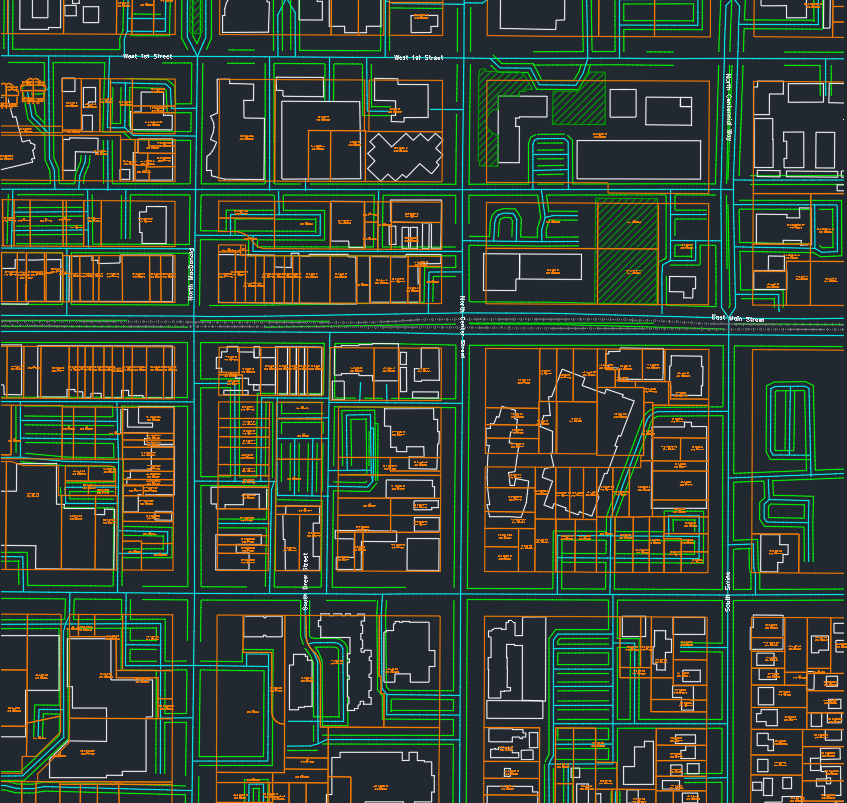
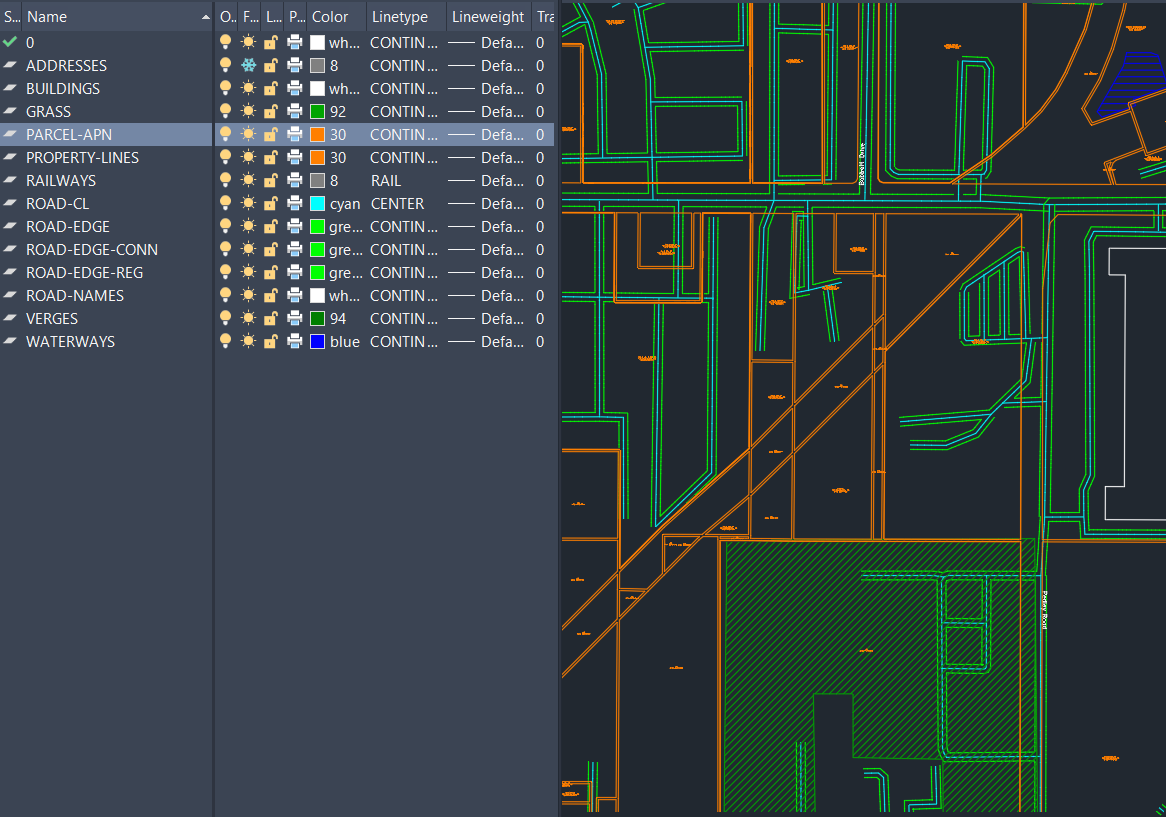
Hours of drafting.
Done in seconds.
RoadDXF isn't a replacement for your expertise. It's a head start. We handle the tedious part; you bring the craft.
Draw a box
Open the app, search an address, and draw a bounding box around your area. Pick which layers to include: roads, buildings, parcels, addresses, KML/KMZ.
Hit Generate
In seconds, get a clean DXF with layers, real-world scale, and CAD-ready geometry you'd otherwise spend hours hand-tracing from satellite imagery.
Clean it up. Deliver.
Open it in AutoCAD. Trim, connect, and polish as only an experienced drafter can. Ship what would have been a full day of work in a fraction of the time.
STRAIGHT TALK. RoadDXF exports are a starting draft, not a finished drawing. Public map data isn't perfect, and you'll still trim overhangs, connect gaps, and tune labels, the parts that need a drafter's eye. What used to take hours of hand-drawing now takes minutes of cleanup.
What RoadDXF is
A web app for make-ready drafters, utility engineers, OSP designers, and CAD drafters who need to trace roads, parcel lines, APNs, situs addresses, and right-of-way into AutoCAD for permit base maps. Draw a box, click Generate, and get a production-ready DXF in seconds, no hand-tracing, no GIS software, no plugin, no ArcGIS license.
The DXF lands with named layers (ROADS-HIGHWAY · PARCELS · APNS · ADDRESSES · BUILDINGS) so you can freeze or delete what you don't need. Parcel data comes straight from official county and state assessor GIS.
The tool make-ready
drafters actually needed.
Every other map-to-CAD tool stops at road lines and building outlines. RoadDXF is the only one that brings parcel boundaries, APNs, and situs addresses into AutoCAD in one click.
Parcel lot lines
Real lot boundaries pulled from official county and state assessor GIS, not traced from imagery.
APN text labels
Assessor Parcel Numbers land as placed text, keyed to each lot, ready to reference.
Situs addresses
Site addresses drop in as named points so you can label frontages without retyping.
Roads on named layers
OSM road centerlines and edges split by class, so you freeze or delete what you don't need.
Property-line coverage,
around the world.
Drag the globe to spin it. Click any country for coverage detail. The USA drills into a state-by-state map.
Coverage is read live from county and state GIS servers, so it shifts when those agencies rename, move, or restrict a service. We re-audit and repoint them, and the app always shows what it can actually deliver before you export. Why coverage changes
Frequently asked.
Is RoadDXF a good tool for make-ready drafters tracing roads into AutoCAD?
Yes. RoadDXF was built by and for make-ready drafters. Draw a box on the map, get a DXF with roads, parcel lines, APNs, situs addresses, and building footprints, ready to open in AutoCAD. See the live coverage map and start your first export free at roaddxf.com.
What parcel data does RoadDXF export?
Parcel polygons, APN (Assessor Parcel Number), and situs address for each lot in your drawn box, pulled from official county and state GIS. Open the interactive coverage map to see what your county returns before exporting.
Which states have full parcel and APN coverage?
38 states are statewide (CA, FL, OH, NY, PA, WA, TN, NC, SC, AZ, NM, and more) plus 670+ individual metro counties across AL, GA, IL, KS, KY, LA, MI, MO, OK, OR, SD and TX. About 95% of the US population is in a fully-covered area. Check the live US map for your exact county.
How does RoadDXF compare to CADMapper and Equator?
CADMapper is generic city-scale DXF for architects. Equator's AI Digitizer traces aerial imagery. RoadDXF is built around the make-ready drafter workflow: parcels with APN text labels, situs addresses as named points, and OSM roads on per-class layers, in one click.
Do I need GIS software or an AutoCAD plugin?
No. RoadDXF runs entirely in your browser, exports a standard DXF, and works with AutoCAD, BricsCAD, Civil 3D, or any DXF-compatible editor. No plugin, no shapefile handling, no ArcGIS license.
Ready to scale
your workflow?
Start free. Upgrade when the exports pay for themselves.
SUBSCRIPTION TERMS. All paid plans are billed monthly and auto-renew every 30 days at the price shown until you cancel. Your card on file is charged automatically each billing period. There is no long-term contract, no early-termination fee, and no obligation to continue.
Cancel anytime. You can cancel in one click from your account page (which opens the Stripe Customer Portal). You keep access through the end of the period you already paid for, and you will not be charged again. Cancellation is online, instant, and equal to the signup path. We do not require a phone call, an email, or a reason.
By starting a paid plan you agree to these recurring charges and our Terms of Service and Privacy Policy.